New lyric style Splatter, and your subject in front of the music
The Melo.Video team
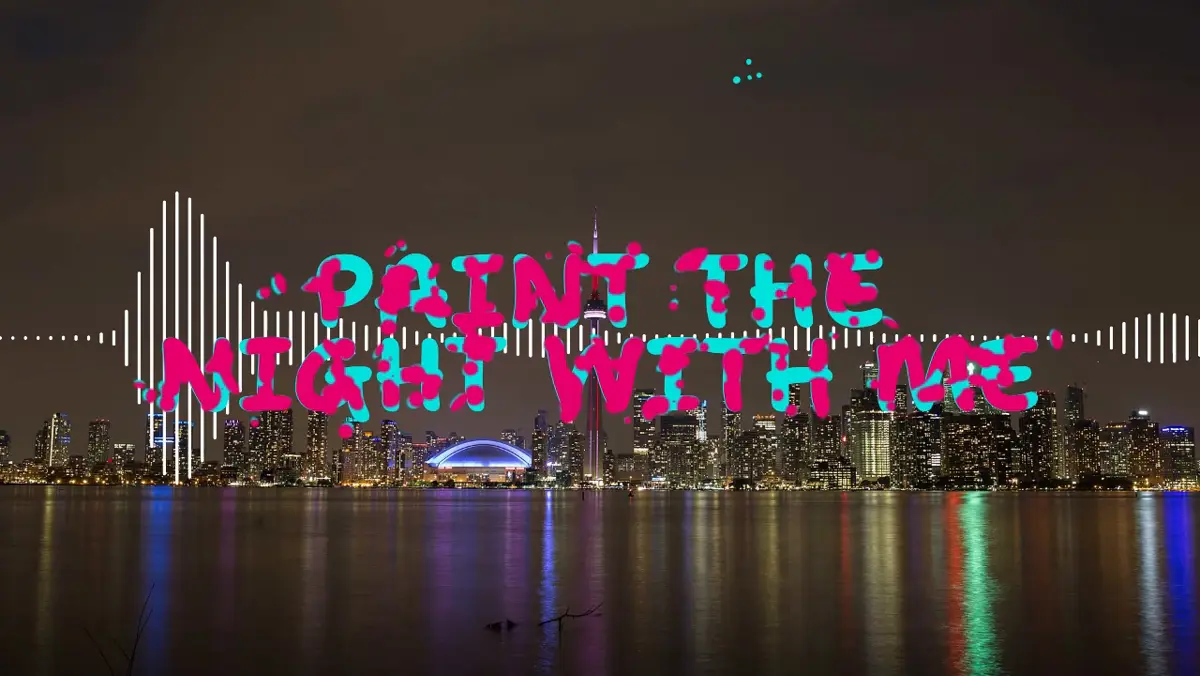
This update brings a new hand-painted lyric style, a background effect that puts the person in your photo in front of the visualizer, and a few things that make the editor nicer to use.
Splatter: lyrics painted on, line by line
Splatter sets each line in big hot-pink hand-drawn capitals, in one or two balanced rows across the middle of the frame. What makes it special is how the lines arrive and leave, as if someone were painting them on.
Lines take turns between two entrances:
- Blobs: round paint blobs gather and run together into the letters in cyan, then pink paint spreads over them from the middle of each stroke outward, until the line is solid pink.
- Splatter: a spray of paint drops sweeps across the line behind a brush stroke, painting the letters in as it goes.
Each line leaves the way it came. A blob line draws its pink back under a big brush swipe and breaks up into round drops; a splatter line bursts into drops behind a sweeping brush. Small paint splashes, bubbles, rings and stars pop up around the words while they're on screen.
The highlight colour sets the second paint, so the pink and cyan are only the starting point. Splatter works with any font you choose, in wide and vertical videos.
Every piece of it is also a choice of its own, so you can use it in any lyric style: Blobs and Splatter under Appear and Disappear, Balanced under Layout, and Paint under Splashes.
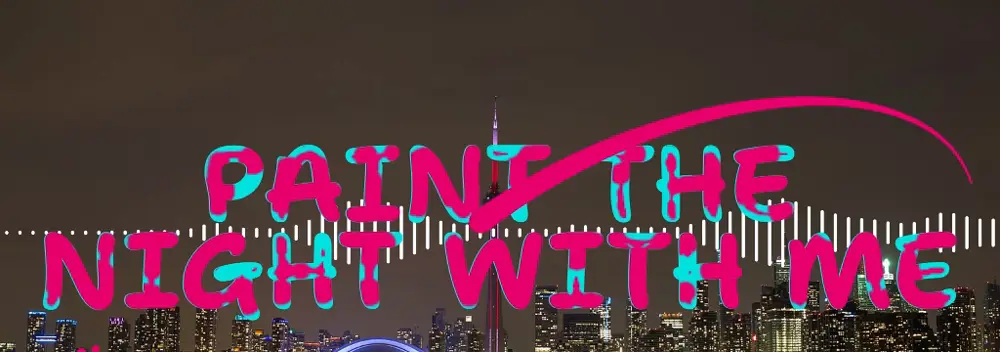
Make a lyric video with Splatter
Subject in front: put yourself in front of the music
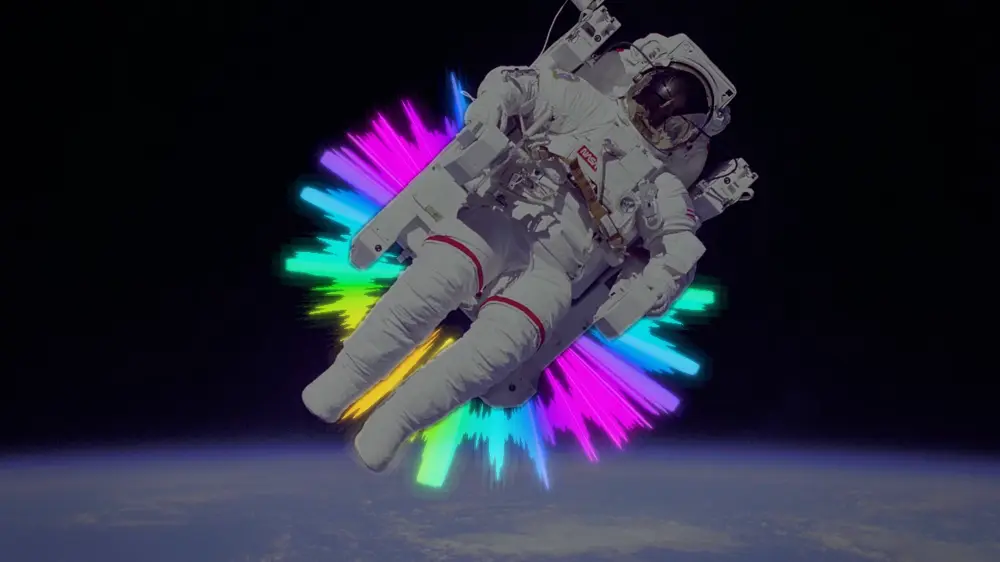
Until now, the visualizer was always drawn over your photo. With the new Subject in front background effect, the person in your photo can stand in front of it instead, so the beams, rings and bars pass behind them.
Choose how far in front they stand, soften or tighten the edge of their outline, and add a soft shadow if you like. It works best with your own photo when it has one clear subject, such as you, your band or your instrument.
You'll find it with the other background effects on more than forty templates, including Neon Ring, Glowing Light, the Minimal templates, the Spectrum templates, Reactor Core, Lumen Burst and Blaze Ring.
Smaller improvements
- Find templates faster. The template picker in the editor can now search by name or tag, and sort by Recommended, Popular or Newest. Star your favourites and they appear first, on any device you sign in on.
- No more forgotten placeholder text. Before an export starts, the editor checks your text blocks for leftovers like "Artist - Song Name" or "New text 2" and asks whether to remove them first.
- Smoother preview in Chrome. The preview now shows every frame in turn at 60 frames a second, where before it sometimes skipped one and doubled up the next.
- Smoother preview in Firefox. Firefox now shows the preview at the full frame rate too, instead of about 25 frames a second.
- Spectrum Ivory moves further. Its vertical position now reaches all the way to the top of the frame as well as the bottom. See Spectrum Ivory